
TechSmith Snagit 26. (x64) Multilingual
408.9 MB
3.1.11825
Microsoft Windows 11, Windows 11 on ARM (23H2 or higher), Windows 10 (20H2 or higher), Windows Server 2016, Windows Server 2019, or Windows Server 2022 Windows N requires the Media Foundation Pack 64 bit Windows only Snagit Printer not available on Windows on ARM .NET 4.7.2 or later WebView2 Runtime (included with installer) Intel i5 CPU 6th gen / AMD equivalent Intel 8th Generation or newer CPU or AMD Ryzen 2000 series or newer CPU for video recording. 8 GB of RAM recommended 1.6 GB of hard-disk space for program installation
9645
Description
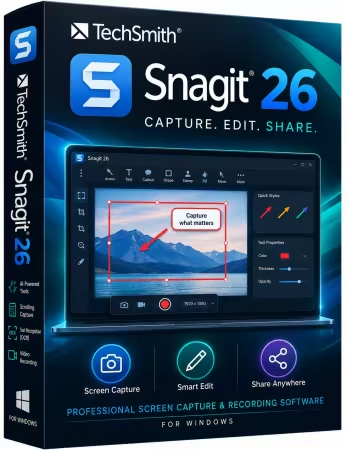
TechSmith Snagit
Screen capture loved by over 40 million people. Snagit is the ultimate screen capture and recording software for anyone who wants to look good, work smarter, and communicate clearly.
Easy to use, but full of advanced features
Don’t let clumsy built-in tools hold you back. Snagit’s comprehensive feature set makes it the top screen capture software for professionals.
Scrolling capture
Quickly capture images of anything and everything on your computer screen, even scrolling areas.
Simplify UI
Transform screenshots into simplified user interface (SUI) graphics in a single click.
Library
Say goodbye to the chaos and let Snagit keep your content effortlessly organized and synced across devices.
Filter and sort by date, file type, and application
Sync to Google Drive, OneDrive, and more
Tag images and videos
Smart move
Snagit automatically recognizes elements in your screenshot, granting you the magical ability to rearrange or remove UI elements.
Text recognition
Magically edit the text within an image, screenshot, or scanned document. You can even adjust the font, text size, and color.
Capture anything, exactly how you want it
This is the capture window where you can effortlessly customize and save your capture settings.
Image capture
Capture your full screen, a specific region, fixed image size, or scrolling area.
Video recording
Record video of all or part of your screen, plus your camera.
Audio recording
Record microphone and system audio.
Custom presets
Create custom presets and keyboard shortcuts for your go-to captures.
Unleash your creativity with the ultimate built-in editor
Effortlessly transform your captures into polished, professional-quality images with easy-to-use templates and mark-up tools.
System Requirements
Microsoft Windows 11, Windows 11 on ARM (23H2 or higher), Windows 10 (20H2 or higher), Windows Server 2016, Windows Server 2019, or Windows Server 2022
Windows N requires the Media Foundation Pack
64 bit Windows only
Snagit Printer not available on Windows on ARM
.NET 4.7.2 or later
WebView2 Runtime (included with installer)
Intel i5 CPU 6th gen / AMD equivalent
Intel 8th Generation or newer CPU or AMD Ryzen 2000 series or newer CPU for video recording.
8 GB of RAM recommended
1.6 GB of hard-disk space for program installation
What's new
- Snagit now sends images to Camtasia Online in the original .snagx format, including cursor, text, and other capture information to facilitate video creation.
- Updated the Time Delay options in Snagit Capture from a minimum Interval Capture time of 1 second to 3 seconds.
- Re-added Compose email options back into Share to Email output.
Images
Download links
How to install TechSmith Snagit 26.3.1.11825 (x64) Multilingual?
1. Download the ZIP file.
2. Install the Split APKs Installer application
3. Open the application and click on "Install".
4. Find the folder where the downloaded ZIP is located and select it.
5. Follow the steps that appear on the screen.







