
PanoramaStudio Pro
48.57 MB
4.2.1.498
Windows 7, 8, 10, and 11 (64 bit)
9764
Description
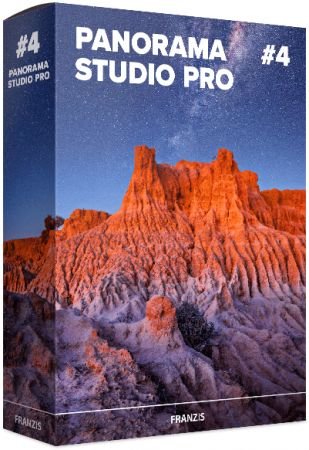
PanoramaStudio Pro
PanoramaStudio creates seamless 360 degree and wide angle panoramic images. It stitches your photos to huge panoramic images within minutes. This program combines simple creation of perfect panoramic images within a few steps with ambitious postprocessing features for advanced users. PanoramaStudio Pro creates single-row and multi-row panoramas of up to full spherical 360×180 degree panoramas. It is the complete solution for the creation of panoramic images. Besides the easy and established creation of panoramas PanoramaStudio Pro offers now also the option to stitch arbitrary arranged images to panoramas. This allows huge panoramas, even beyond the gigapixel limit.
Highlights
• Easy user interface, large work space with a 2D and 3D preview
• Automatic alignement of single- and multi-row panoramas of up to full spherical 360×180 degree panoramas
• Seamless blending into a panoramic image
• Manual postprocessing of all steps possible
• Automatic exposure correction
• Panoramas can be connected to virtual tours in Java and Flash using hotspots
• Filters for additional image editing
Output
• Export your panoramas in various image formats, as screensavers and as interactive Java or Flash panoramas for websites
• Print panoramas in poster size on multiple pages
• Save panoramas as multi-layered image for professional post-processing
• A new render engine achieves an even higher quality for the panoramas
• An adaptive blending method
• A new exposure correction
• The camera database was again extended by another 200 new cameras and detects now automatically already about 1200 digital compact and SLR cameras
• Enhanced RAW import
• Many details improved…
System Requirements: Windows 7, 8, 10, and 11 (64 bit)
What's new
- DNG ExportThe new DNG export allows panoramas to be saved in the DNG format.
In addition to standard 16-bit DNG files, the PRO version can also export HDR panoramas as DNG files with 16-bit or 32-bit floating-point color depth.
Images
Download links
How to install PanoramaStudio Pro 4.2.1.498?
1. Download the ZIP file.
2. Install the Split APKs Installer application
3. Open the application and click on "Install".
4. Find the folder where the downloaded ZIP is located and select it.
5. Follow the steps that appear on the screen.







