
Blackmagic Design DaVinci Resolve Studio(x64) Multilingual
9.6 GB
21.0.3
Windows 10 Creators Update. 16 GB of system memory or 32 GB when using Fusion. For monitoring, Blackmagic Design Desktop Video 12.9 or later. Integrated GPU or discrete GPU with at least 4 GB of VRAM. At least 16 GB VRAM for advanced AI tools. At least 32 GB RAM and 12 GB VRAM for background rendering. GPU which supports OpenCL 1.2 or CUDA 12.8. AMD/Intel official drivers from your GPU manufacturer. NVIDIA Studio driver 581.57 or newer.
6958
Description
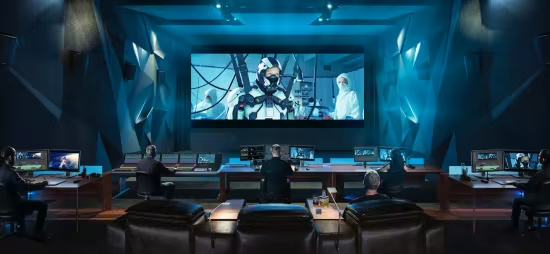
Blackmagic Design DaVinci Resolve Studio
DaVinci Resolve Studio supports up to 120fps at a massive 32K resolution, as well as support for multiple GPUs for real time playback of professional 10-bit formats, and accelerated H.264 and H.265 hardware decoding and encoding. There’s a full suite of immersive audio tools, DaVinci Neural Engine AI voice isolation, music remixer and dialogue separator. It also includes Dolby Vision and HDR10+ grading and rendering, and 45 extra Resolve FX such as AI UltraNR noise reduction, SuperScale and de-interlacing. You also get workflow and media asset management integration, remote scripting API, and rendering and encoder plug-in support. Plus there’s full screen playback on a second monitor!
More GPU Acceleration
DaVinci Resolve Studio turbo charges your system’s GPU performance! Fully optimized for Metal and Apple Silicon unified memory GPUs on a Mac, or OpenCL and CUDA on Windows and Linux, plus you’ll get incredible performance gains with additional GPUs.
Advanced Noise Reduction
DaVinci Resolve Studio includes some of the most powerful and sophisticated noise reduction. Temporal and AI spatial noise reduction tools can be used independently or together to help clean up and remove unwanted noise in virtually any image.
Lens Distortion
DaVinci Resolve Studio includes a lens correction feature that allows you to analyze a clip and correct for spherical lens distortion or other aberrations. It uses optical flow image analysis and processing algorithms for incredible quality results!
Professional HDR Scopes
The HDR scopes in DaVinci Resolve Studio are capable of measuring and providing detailed information about ST.2084 and HLG images. This allows you to replace the 10‑bit scale of the scopes with a scale based on nit values, or cd/m2, instead.
Stereoscopic 3D
DaVinci Resolve Studio features a complete set of tools for editing and grading stereoscopic 3D projects. You have total control over stereo specific clip properties such as convergence, floating windows, eye alignment, mastering and output.
Remote Monitoring and Grading
Remote monitoring allows clients to view a real time feed via computer, iPad or iPhone with extreme high quality! Remote grading lets you work interactively so that changes made on your DaVinci Resolve system are immediately visible remotely.
DaVinci Color Transform Language
Unlike LUTs, which rely on simple lookup tables, DaVinci color transformation scripts are GPU accelerated bits of code that directly transform images using combinations of math functions. That makes them extremely fast and non destructive.
Scripting and Automation
DaVinci Resolve Studio features support for both Python and LUA scripting, along with developer APIs that allow you to add workflow integrations and custom encoding options. This lets studios of all sizes create deeply integrated custom workflows.
Workflow Integration Plug‑ins
DaVinci Resolve Studio supports workflow integration plug-ins for connecting to local and remote asset management, automation systems and more. Users can write their own plug-in and interact with DaVinci Resolve’s JavaScript APIs.
Minimum System Requirements
Windows 10 Creators Update.
16 GB of system memory or 32 GB when using Fusion.
For monitoring, Blackmagic Design Desktop Video 12.9 or later.
Integrated GPU or discrete GPU with at least 4 GB of VRAM.
At least 16 GB VRAM for advanced AI tools.
At least 32 GB RAM and 12 GB VRAM for background rendering.
GPU which supports OpenCL 1.2 or CUDA 12.8.
AMD/Intel official drivers from your GPU manufacturer.
NVIDIA Studio driver 581.57 or newer.
Homepage
What's new
- New legacy speed mode retime curve option.
- DNG pre tone curve is enabled by default in new projects.
- Addressed missing QuickSync encode options on older Intel GPUs.
- Addressed issue with adding keyframe at a subframe.
- Addressed issue with pasting keyframes to linked audio clips.
- Added configurable keyframe ease actions.
- Inspector frame display for interlaced transition durations.
- Addressed interlaced generator and transition duration interpretation.
- Addressed audio duration for inserted segment of interlaced media.
- Addressed field dominance detection issue for some interlaced clips.
- Addressed Fusion issue with importing PSDs with disabled layers.
- Addressed issue with rendered Magic Mask for photos in album.
- Addressed bezier window move when adjusting vertex smoothness.
- Addressed issue with decoding some Sony BURANO X-OCN clips.
- Addressed preview issue with HDR still exports on some browsers.
- Addressed wrong audio mapping scripting results in some scenarios.
- Updated DaVinci Resolve 21 reference manual.
- Replay SDI output now always shows selected camera.
- Scripting API support to list project attributes in a project bin.
- Scripting API support for user preferences presets.
- Scripting API support for listing UI layout presets.
- Scripting API support for listing and deleting data burn in presets.
- Addressed installation issues on some Windows systems.
- Custom install location for Windows ARM encode SDK plugins.
- General performance and stability improvements.
Images

Download links
How to install Blackmagic Design DaVinci Resolve Studio 21.0.3 (x64) Multilingual?
1. Download the ZIP file.
2. Install the Split APKs Installer application
3. Open the application and click on "Install".
4. Find the folder where the downloaded ZIP is located and select it.
5. Follow the steps that appear on the screen.







