
3DCoat 2026. (x64) Multilingual
1.56 GB
12
Windows 10, 11
4949
Description
3DCoat
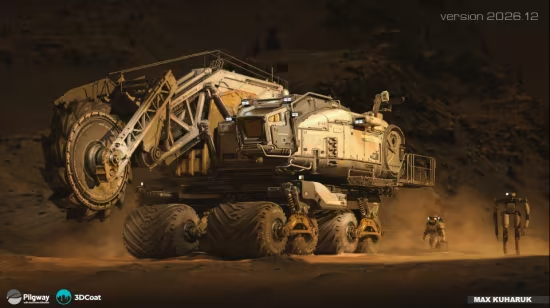
3DCoat is the one application that has all the tools you need to take your 3D idea from a block of digital clay all the way to a production-ready, fully textured organic or hard surface model. Today 3DCoat is available to learn at 300+ Universities, Colleges, and Schools worldwide.
Key Features
– Possibility to attach Smart Materials to layers! Materials managing becomes even easier.
– Improved Curvature calculation. This is crucial for Smart Materials to be looking even more realistic.
– New Primitives in Retopo room: cylinder, torus, cube, ellipse, spiral, etc. We are getting closer and closer to a low-poly modeling!
– Possibility to change resolution of textures, attached materials will automatically be re-sampled!
– Smart Materials usage history.
– Render scene in Renderman. Yep, you heard it right!
– Proxy Slider. Set your proxy degree with an easy slider movement.
– Baking Scan. Paint baking depth with brush. Now you can define with an ease of a brush stroke how big the depth of scanning will be.
– 4K monitors support. Now UI elements and font size will automatically fit your screen resolution.
– Rotation mode quick switch – around Y or free rotation. See navigation panel.
System Requirements: Windows 10, 11
What's new
- Non-destructive GPU node-based texturing – create editable materials, masks, filters, modifiers, and procedural effects using the new visual Node Editor;
- High-performance GPU nodes – procedural effects, mathematical operations, and noise generators are calculated directly on the graphics card;
- Texturing while sculpting – preview node-based materials on sculpt objects in real time, even before retopology or UV mapping;
- 3D lattice voxel structures – generate complex internal volumetric structures for 3D printing, engineering, and artistic workflows;
- Node-based procedural sculpting patterns – create complex volumetric and surface shapes and convert them into regular sculpt objects for further editing;
- Near 30 material channels – the updated PBR/PBM system supports advanced material properties, light interaction, and refraction effects;
- Procedural materials and masks library – new and legacy Smart Materials have been converted to the node-based system, with a built-in library of masks included;
- Quick Access toolbar search – text-based tool search has been added to the Sculpt and Modeling workspaces;
- Interactive node transform gizmo – control the position, rotation, and scale of textures, lattices, and volumetric patterns directly in the viewport;
- Splitter tool – split models into separate parts, with each resulting part automatically placed on its own layer;
- Lofted Surface for the On-Plane tool – create lofted surfaces using curves and sculpt directly on them with voxel brushes;
- Hybrid Mesh for On-Plane Brush Control – convert retopology meshes into Hybrid Meshes and use them as surfaces for voxel sculpting;
- Parametric Hybrid Modeling – create complex editable models using curves, control handles, and adjustable parameters;
- Group Tree in the Retopo and Modeling Rooms – organize objects hierarchically and transform, copy, or manage entire object branches;
- Pose tool improvements – new deformation modes and the ability to snap a mesh to an object's surface were added;
- Bevel improvements – a new Profile Shape option has been added to the Bevel tool;
- LWO3 import and GLB export – support for LightWave 3D files and improved Blender integration has been added.
Images
Download links
How to install 3DCoat 2026.12 (x64) Multilingual?
1. Download the ZIP file.
2. Install the Split APKs Installer application
3. Open the application and click on "Install".
4. Find the folder where the downloaded ZIP is located and select it.
5. Follow the steps that appear on the screen.







